
from: How to reset the login password · NginxProxyManager/nginx-proxy-manager · Discussion #1634 · GitHub
docker exec -it <container-name> sh
apt update && apt install sqlite3 -y
sqlite3 /data/database.sqlite
UPDATE user SET is_deleted=1;
.exit
exit
then restart the container and login with admin@example.com:changeme
you after login you can best edit the previous account and set its password, because all the configuration depends on the user.
afterwards set the above value back:
docker exec -it <container-name> sh
apt update && apt install sqlite3 -y
sqlite3 /data/database.sqlite
UPDATE user SET is_deleted=0;
.exit
exit
..and restart the container again.
if you are like me and choose the same username this would still probably give a login failure.. or you get database errors in the web interface, because the hosts and certificates are bound to the userid. you'll get this error or similar:
from https://github.com/jlesage/docker-nginx-proxy-manager/issues/21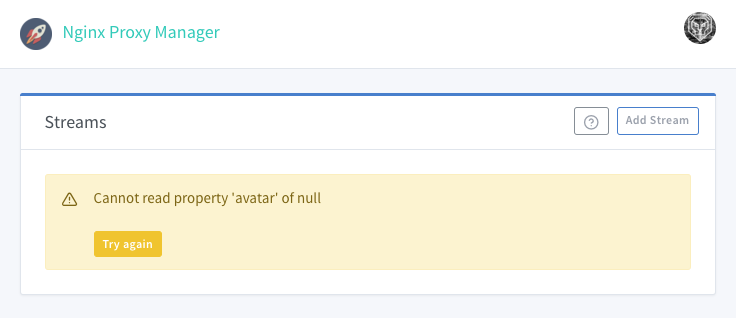
to get the user id (column id):
# sqlite3 /data/database.sqlite
sqlite> select id, email from user;
1|myemail@mydomain.com
2|mymeail2@mydomain.com
my new user is id = 2
to update proxy_host table and reaffect to the new user:
sqlite> update proxy_host set owner_user_id = 2;
and reload the proxy manager proxy host admin page.
same issue could arrise with ssl certificate table:
sqlite> update certificate set owner_user_id = 2;